What Is Custom Mode in Any Video Converter?
Custom Mode is a premium feature in Any Video Converter Pro and Ultimate. It gives you greater control over the quality and format of downloaded videos and audio, as well as their audio tracks and subtitles. You can also save your preferred settings as a preset for future downloads.
With Custom Mode, you can adjust the following settings:
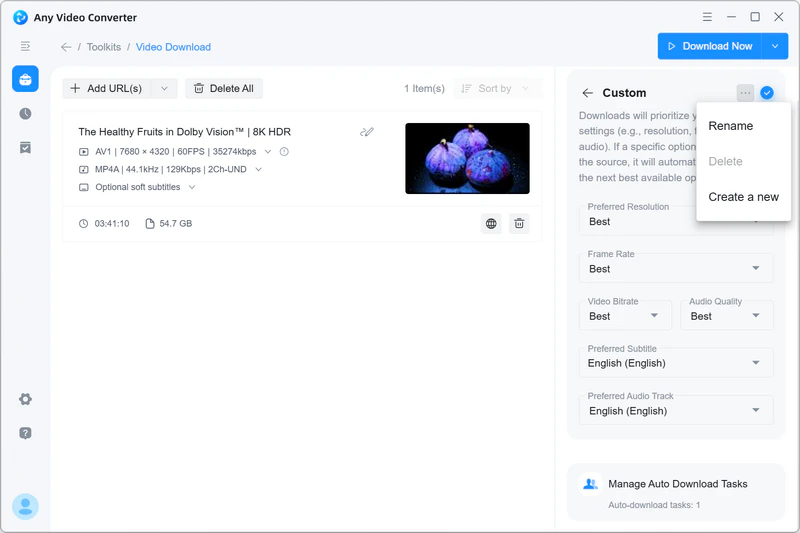
- Resolution: Select your preferred output resolution, such as Best, 8K, 4K, 1080p, or 720p.
- Frame Rate: Select Best, 60 fps, 30 fps, or 24 fps.
- Video Bitrate: Choose High, Medium, or Low.
- Audio Quality: Choose High, Medium, or Low.
- Subtitles and Audio Tracks: Choose your preferred subtitles and audio tracks.
- Output Format: Choose MP4, MP4 (H.264), MKV, MP3, FLAC, or WAV.
- Automatic File Renaming: Automatically rename downloaded files for better organization.
- Save as a Preset: Save your settings as a reusable preset.


Download Videos or Audio in Custom Mode
Step 1 Add URLs
Launch Any Video Converter and open the Video Download tool.
Open the video or audio you want to download and copy its URL. Return to Any Video Converter, click Add URL(s), paste the URL into the input field, and then click Parse Now.
Tip: If you add a playlist or channel URL, you can create an Auto Download task to monitor it and automatically download newly added videos. This feature is available in Any Video Converter Ultimate.
Step 2 Configure Custom Mode
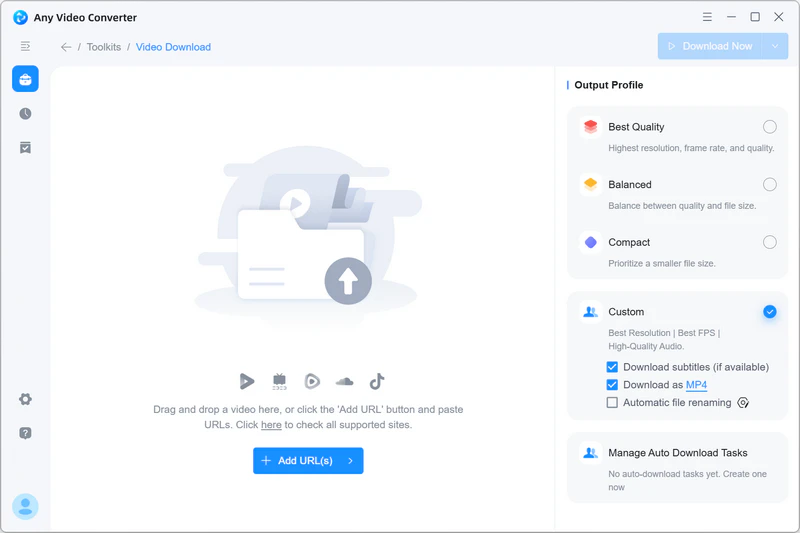
In the Output Profile panel on the right, select Custom to open its settings.
Choose your preferred resolution, video bitrate, frame rate, audio quality, output format, audio tracks, and subtitles.
You can also save your settings as a preset for future downloads.
Step 3 Start the Download
After configuring the settings, click Download Now to download the video or audio in your preferred quality and format.
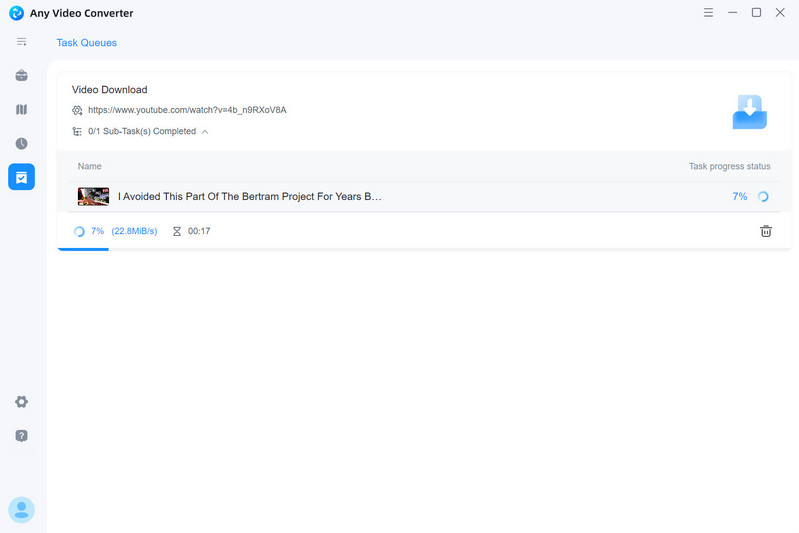
When the download is complete, click  →
→  to open the file location.
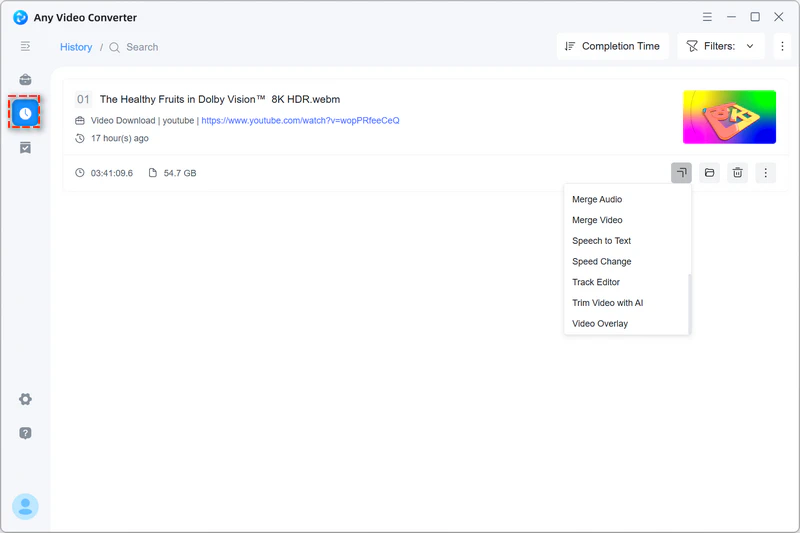
Alternatively, click  to open the downloaded file in another tool for further editing or processing.
For example, if the highest available download resolution is only 360p or 720p, you can open the downloaded video in AI Video Enhancer and upscale it to 1080p or 4K.