Part 1: Key Features of YouTube Multi Downloader
| Question |
Result |
| Is YouTube Multi Downloader still online? |
Yes, tested in September 2026
https://ytmultidownloader.com/ |
| Can it parse a playlist? |
Yes |
| Can it download the whole playlist automatically? |
No |
| True YouTube batch downloading? |
No |
| Downloads at one time |
One video or audio file |
| Registration required |
No during our test |
| Formats tested |
MP4, WebM and MP3 |
| Highest quality tested |
1080p/24 fps in our test |
| Subtitles and metadata |
Not reliably supported |
| Best for |
Occasional individual downloads |
1. Besides YouTube URLs, are URLs from other platforms supported?
- In our test, YouTube Multi Downloader only supports valid YouTube playlist URLs and is not compatible with URLs from Vimeo, Dailymotion, Facebook, and other non-YouTube websites.
2. Can it download 4K/8K and HDR videos? Does it support multiple formats?
- In actual testing, MP4, WebM, and MP3 formats are available, with up to 1080p/24 fps. This is sufficient for standard courses, music videos, and casual viewing, but it is not suitable if you require 4K, 8K, or HDR quality.
3. Can you download the entire YouTube playlist at the same time?
- It can parse the entire playlist, but it doesn't perform true batch downloading. After you paste the playlist URL, the tool lists all the included videos, yet you still have to click the download button for each video or audio item individually. In other words, if a playlist contains dozens of videos, you still need to click the download button dozens of times.
4. Should video subtitles, titles, and other information be stored?
- YouTube Multi Downloader does not guarantee that it will be able to download subtitles, video titles, and other metadata. If you need to save subtitles, filenames, or playlist orders in bulk, this tool offers limited control.
Which One is the True YouTube Multi Downloader?
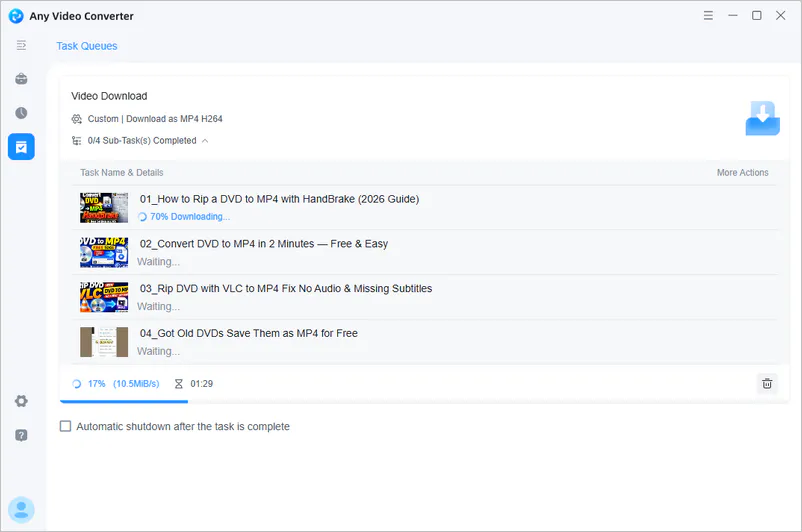
Any Video Converter is a true batch YouTube downloader. It can parse entire playlists or channels at once, allowing you to select multiple videos for the download queue in a single batch rather than clicking to download them one by one. It also supports subtitles, MP3 extraction, various quality options, and batch file renaming.
Part 2: YouTube Multi Downloader Testing Experience and Limitations
How to Use YouTube Multi Downloader
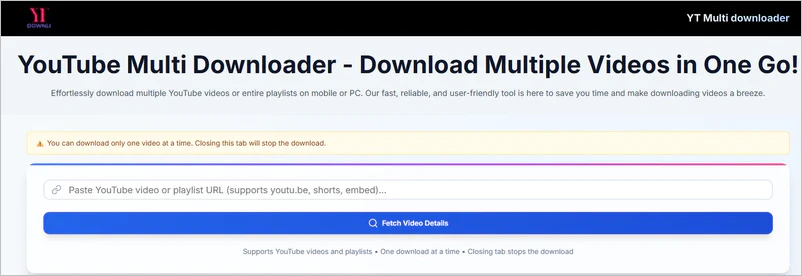
Step 1: Go to YouTube and copy a YouTube playlist URL.
Step 2: Open YouTube Multi Downloader and paste the valid URL.
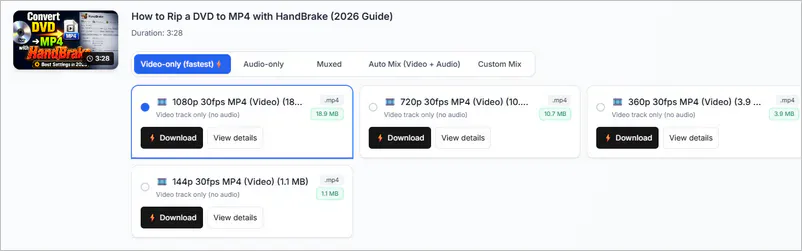
Step 3: Click "Load Options" and choose the video or audio format and quality you prefer. This step needs to be repeated every time you download content from a YouTube playlist.
Step 4: Hit the "Download" button and let YouTube Multi Downloader do the rest.
YouTube Multi Downloader Limitations
Quick Answer:
With the steps above, YouTube Multi Downloader correctly identifies the entire YouTube playlist and lists its videos, but it does not automatically add all of them to the download queue. For large playlists containing dozens of videos, you need to click the download button repeatedly. In addition, we also encountered issues such as video parsing failures, limited format control, and insufficient stability in adapting to changes on YouTube.
Issue 1 Cannot Download the Whole Playlist Automatically
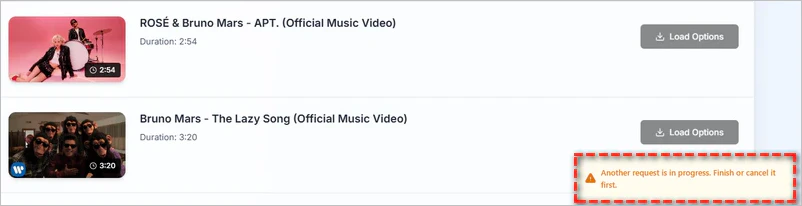
- What we found: This is the biggest and most obvious issue: you still have to click "Load Options" and "Download" one by one. And you must finish processing one video before starting to parse the next one.
- Why it matters: For playlists containing dozens or hundreds of videos, the process becomes highly repetitive; it is more like a "playlist parser + individual downloader" than a true batch downloader.
Issue 2 Some Playlist Cannot Be Parsed
- What we found: It cannot successfully parse all content in the YouTube playlist; some content displays "No formats with known size".
- Why it matters: Even if the playlist can be parsed, this tool cannot guarantee that every video within it can be successfully downloaded.
Issue 3 Limited Format and Quality Controls
- What we found: While YouTube Multi Downloader supports MP4, WEBM, and MP3 formats, its format conversion and encoding capabilities may be limited, and it cannot offer the detailed customization options that professional software provides.
- Why it matters: If you only need to download standard video or audio, the built-in options are generally sufficient; however, if you require finer control over video quality, encoding, subtitles, or file formats, it is not quite suitable.
Issue 4 YouTube Changes May Affect Stability
- What we found: YouTube continuously adjusts its access rules, preventing third-party online downloaders from adapting to these changes in a timely manner.
- Why it matters: When YouTube updates, you may encounter issues such as parsing failures or temporary download unavailability. It is difficult to guarantee the long-term stability.
⚠️
In summary, this YouTube Multi Downloader has significant functional limitations and technical flaws. It is not a reliable option for frequent or high-quality downloads. So what are some effective solutions for downloading YouTube playlists? Read on to find out.
Part 3: Best alternatives to YouTube Multi Downloader
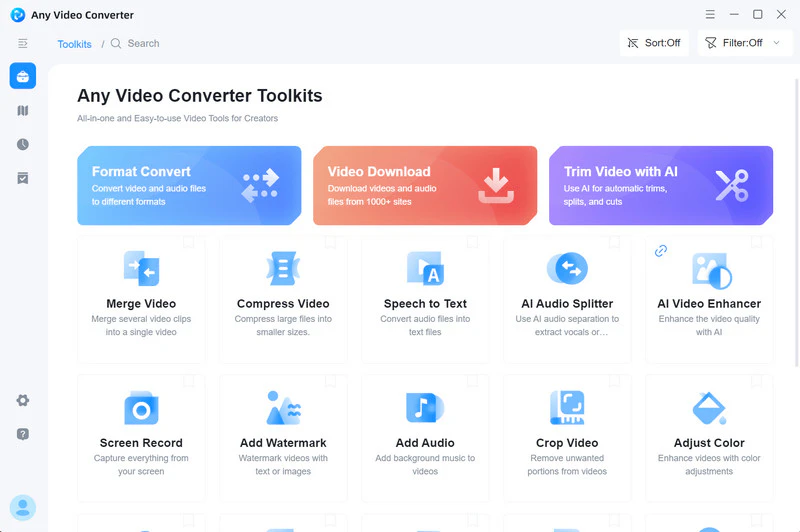
Any Video Converter - PC Alternative to YouTube Multi Downloader
| Supported website |
Format |
Quality |
Batch download |
Subtitles/metadata |
| YouTube and 1000+ sites |
MP4, MP3, and 1000+ formats for conversion |
From SD to 4K, 8K, HDR |
✅ |
✅ |
Compared to YouTube Multi Downloaders, Any Video Converter offers a more stable and consistently effective download solution.
Batch download entire playlists, channels, and multiple individual videos in one go. No need to process each item individually; a single URL is all you need to quickly store the entire resource locally, ideal for system saving or offline organization of thematic content. It features automatic tracking of YouTube playlist and channel updates. The program periodically checks for new videos and adds newly discovered content to the download queue, eliminating the need to repeatedly open channels, copy links, or initiate downloads manually.
| Playlist Problem |
YouTube Multi Downloader |
Any Video Converter |
| Parse an entire playlist |
Yes |
Yes |
| Add selected videos in one action |
❌ |
Yes |
| One download queue |
❌ |
Yes |
| Select or skip items |
Manual one by one |
Supported |
| Keep playlist order |
Not guaranteed |
Yes |
| Download multiple individual URLs |
❌ |
Yes (parse and download at once) |
| 👍 Automatic video update tracking and downloading |
❌ |
Yes |
How to Download a YouTube Playlist with Any Video Converter
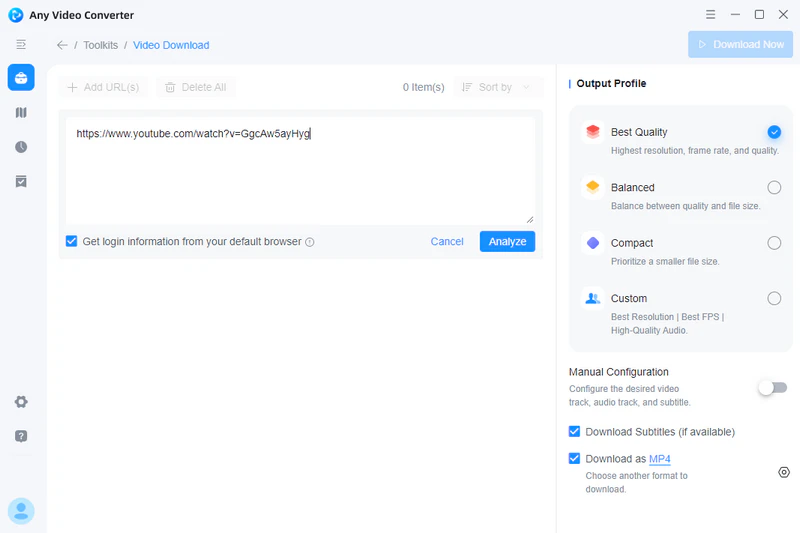
Step 1 Go to YouTube and copy the URL of the playlist you want to download. Then, open Any Video Converter, select "Video Download", and paste the playlist URL into the search box.
Alternatively, you can use the built-in YouTube browser in Any Video Converter to search for and download YouTube playlists directly.
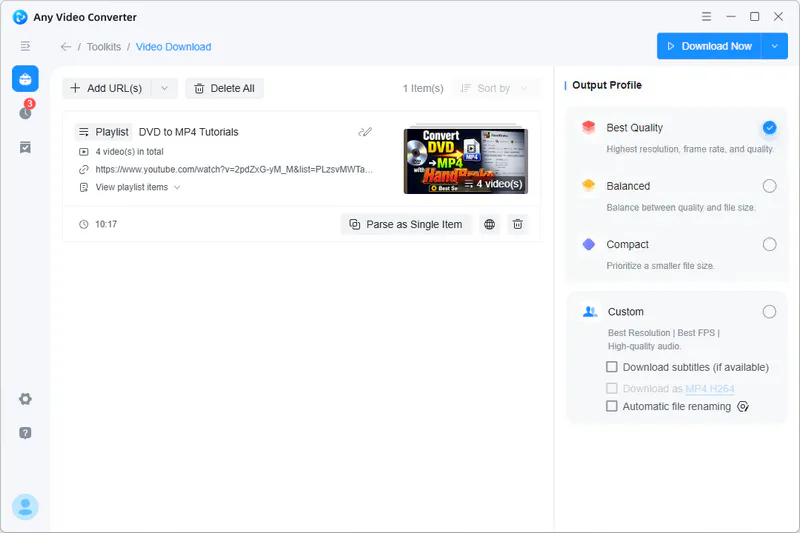
Step 2 Click "Parse Now" to begin parsing the links. After the analysis is successful, you can click "Get Full Playlist" to freely select or delete content you don't want to download.
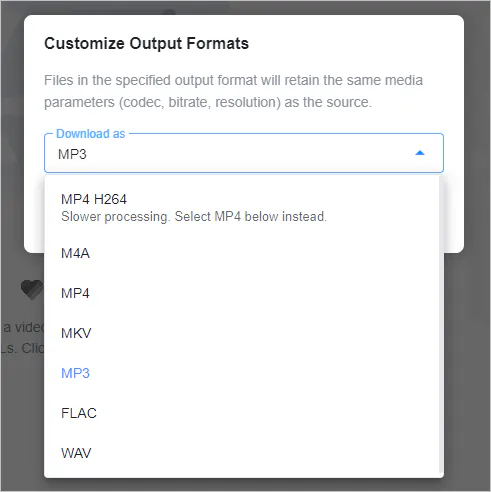
Step 3 On the right, select the quality you want to download or customize the download format. MP4, M4A, MKV, MP3, FLAC, and WAV are all supported.
Step 4 Click "Download Now" to start downloading the YouTube playlist.
🚨 Disclaimer
Please be sure to comply with laws and regulations and YouTube's terms of service, and only download video content that is authorized or used for personal learning and reasonable purposes.
Yt-dlp - Command Line Alternative to YouTube Multi Downloader
| Operation |
Batch download |
Feature update |
Privacy and security |
| Difficult |
Requires complex commands |
Dependent on community updates |
Local operation is safer |
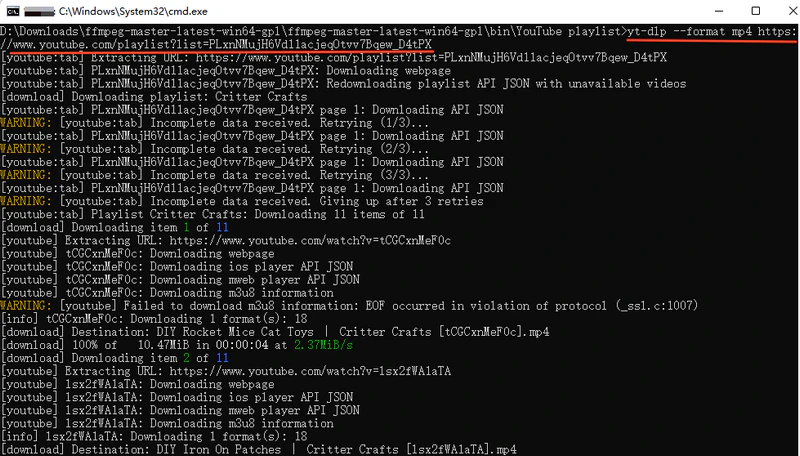
In fact, many online YouTube playlist downloaders are no longer usable, and it's difficult to find an effective online tool for downloading YouTube playlists. Using yt-dlp is a more professional approach. Whether for batch downloads or customizing formats and quality, yt-dlp offers more flexible and controllable options.
How to Download a YouTube Playlist with Yt-dlp
Step 1: Download and install yt-dlp and FFmpeg.
Step 2: On the YouTube playlist page, copy the URL from the address bar.
Step 3: In Windows, press "Win + R", type "cmd", and open the command prompt.
Step 4: Execute the download command: yt-dlp "YouTube playlist URL"
🚨 Warm Reminder
Installing yt-dlp and FFmpeg and executing command line operations is a complex process. Incorrect parameters may cause download failures or unexpected results. Large-scale downloads may trigger YouTube's restrictions, leading to temporary IP bans or verification requirements. Compared to yt-dlp, Any Video Converter is easier to use.
If you need simpler online tools, see here >>
Part 4: FAQs about YouTube Multi Downloader
Does YouTube Multi Downloader still work in 2026?
Yes, but with limitations. Based on our tests in September 2026, it can still parse YouTube playlists and download the contained videos or audio. However, it does not support true batch downloading of an entire playlist; each video must still be processed individually, and parsing may fail for some videos.
Can it download private or age-restricted playlists?
This is generally not supported. YouTube Multi Downloader does not offer a feature to log in to a YouTube account; therefore, private playlists, age-restricted videos, and other content requiring authentication usually cannot be processed or downloaded.
Can I paste multiple unrelated YouTube URLs?
No. YouTube Multi Downloader is primarily designed to process individual YouTube video or playlist links; unlike dedicated batch downloaders, it does not allow you to paste multiple unrelated video URLs at once and add them all to a download queue.
What's a user-friendly way of downloading all videos on a YouTube channel?
If you want to batch-download videos from a YouTube channel, Any Video Converter offers a more user-friendly desktop solution. First, it can parse multiple videos from a channel and add them to the download queue in bulk, eliminating the need to copy video links one by one. Second, it can automatically track and download new content added to playlists.
Besides YouTube Multi Downloader, which Chrome or Firefox extension is best for bulk downloading YouTube videos?
While there are still video downloading extensions available for Chrome and Firefox, few can reliably parse an entire YouTube playlist and batch-download all the videos. For large playlists, desktop tools are generally more suitable.
Which is the best YouTube playlist downloader, YouTube Multi Downloader or Any Video Converter?
Any Video Converter has comprehensive features: downloading, video conversion, and editing. It is compatible with 1000+ websites (not limited to YouTube) and is suitable for multiple uses.
|
YouTube Multi Downloader |
Any Video Converter |
| Download efficiency |
Low. It takes a long time. |
High. Multiple videos can be added to one download queue. |
| URL parse |
YouTube playlist only. |
1000+ sites available. |
| Download stability |
Low. Download failures are frequent in our test. |
High. Batch queue with retry support. |
| Custom options |
❌ |
✅ Customizable parameters. |
Final Thoughts
After reading this article, do you have a new understanding of YouTube Multi Downloader? In summary, while YouTube Multi Downloader is a free and easy-to-use online tool, its download limitations are significant, and it poses security and stability risks. For those who need to efficiently download large volumes of YouTube playlists, it is not a reliable long-term option.
If you need true batch queues, playlist/channel parsing, or post-download editing, a desktop tool such as Any Video Converter—or yt-dlp for advanced users—is better suited to that workflow.

Besty Smith | Content Writer
Besty Smith is a talented and insightful content creator with a keen interest and passion for software programs. She focuses on in-depth research and hands-on experience with various types of software, providing readers with in-depth and inspiring content through precise writing. With her keen insight into the software industry, Besty is committed to helping readers keep abreast of the latest industry trends so that they can stay competitive in the digital age.